 Stickers
Stickers
Stickers makes, organizes and adds your own stickers to WhatsApp and WhatsApp Business, on Android and iOS. It is for personal use: no account, no feed, no public packs, no ads. Everything is made and kept on the phone.
Getting started
The first launch shows one screen with Get started. No permission is asked until a feature needs it: photos come through the system picker, which needs no access to your library, and the camera is asked for only when you take a photo.
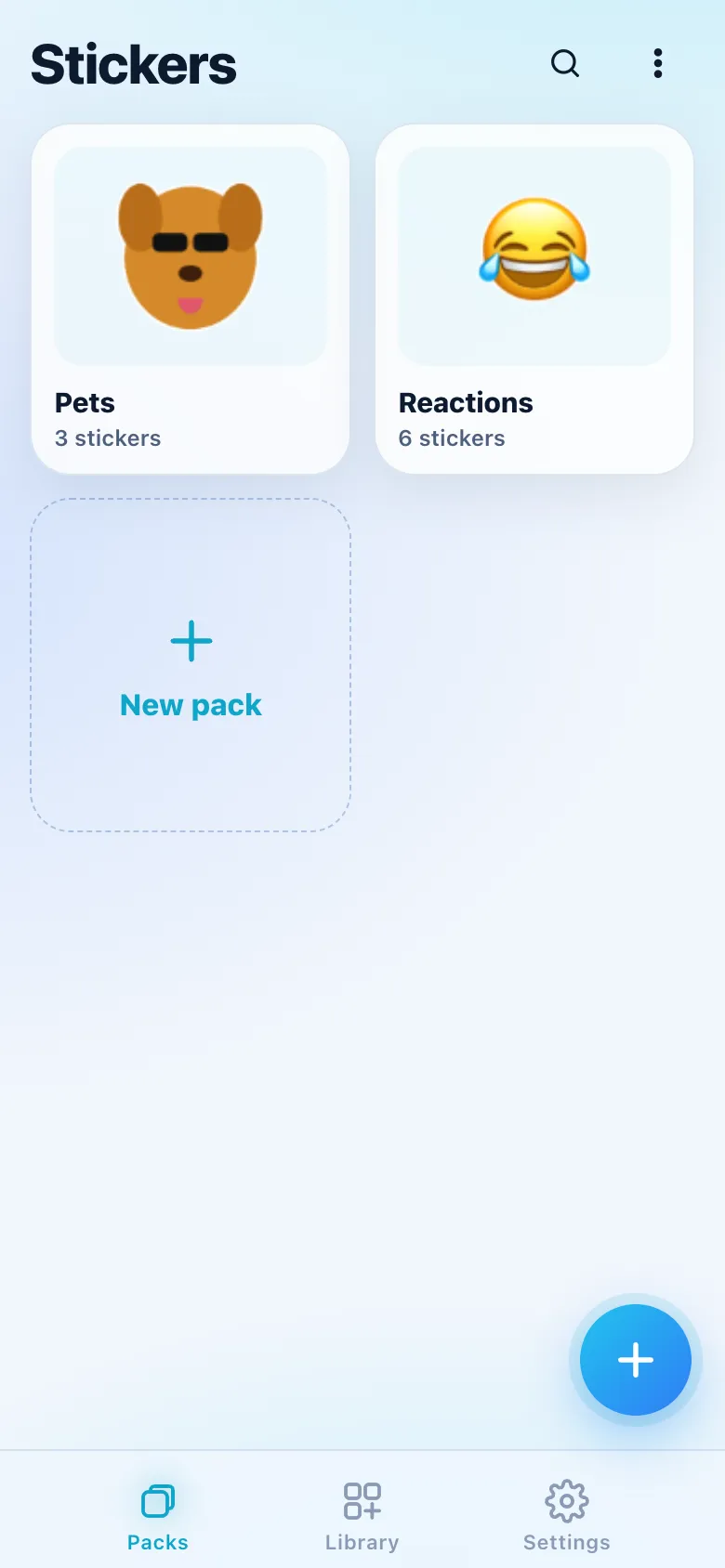
The app has three tabs at the bottom: Packs, Library and Settings. The round + button (New sticker) is on Packs, on Library and inside a pack, where it adds to that pack. The magnifier at the top of Packs and Library opens Search.
The quick path is three taps: +, Photo, then Done in Cutout and Save. Adding the pack to WhatsApp is one more.
Making a sticker
+ opens the origin:
| Origin | What it does |
|---|---|
| Photo | From your photos. Pick several to make a batch. |
| Camera | Takes a photo (front or back camera, set in Settings › Creating). |
| Video or GIF | Becomes an animated sticker. On the iPhone, Live Photos work too. |
| File | PNG, JPEG, WebP, GIF, MP4, MOV, .stickers and .wastickers. |
| From library | Starts from a sticker you already have. |
| Blank | Text, emoji or drawing only, or Emoji sticker: one big emoji with a border in one tap. |
An image that already has transparency (a cut-out PNG or WebP) skips the automatic cutout: "Already transparent; cutout skipped."
Cutout
The automatic cutout runs as soon as the photo opens. On the iPhone it uses Apple's Vision; on Android, ML Kit Subject Segmentation from Google Play services, which downloads its model once. The photo never leaves the phone. Without Play services, or when the cutout finds nothing ("No subject found. Use Lasso or Keep to mark what stays."), the manual tools do the job.
When several subjects are found, each one gets an outline: tap them to keep or leave out ("Tap what to keep").
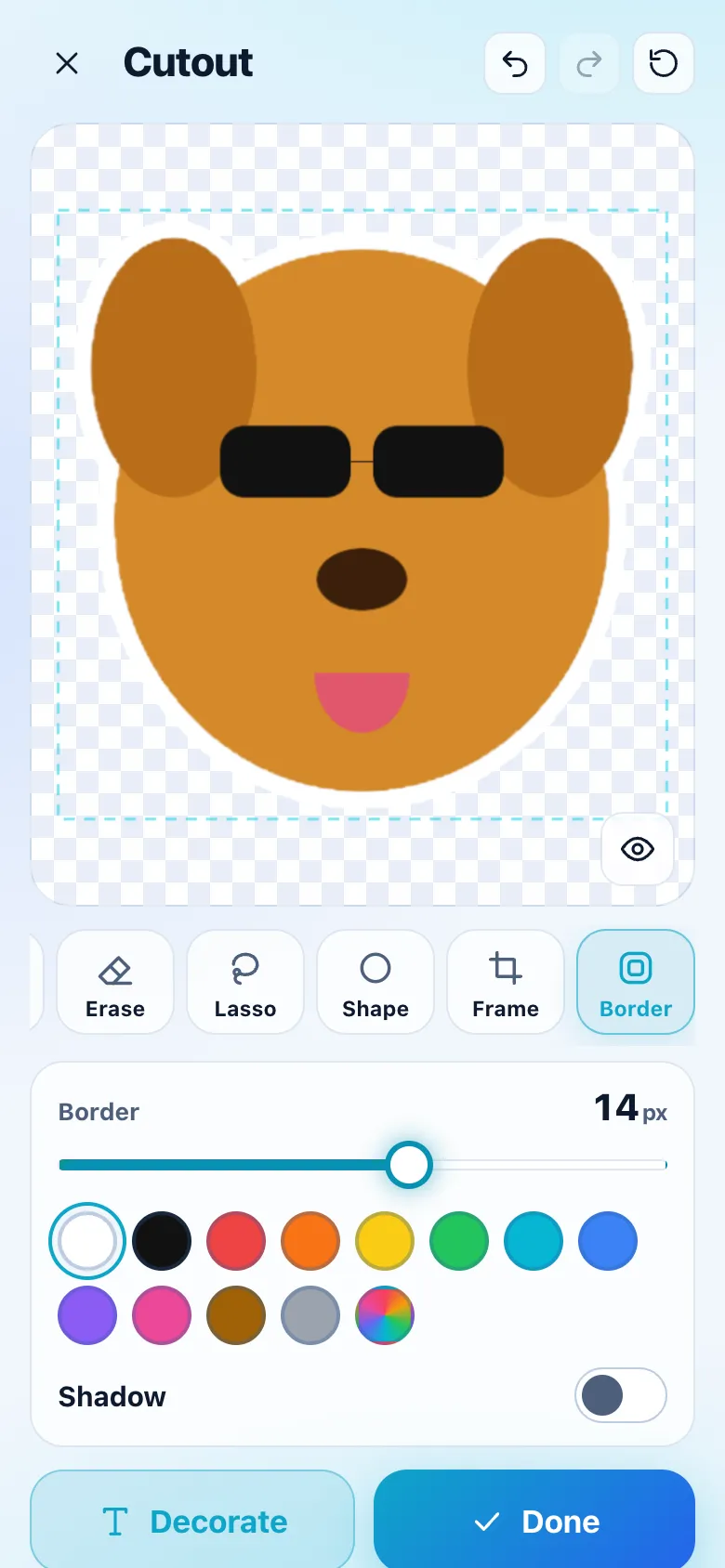
- Auto: runs the automatic cutout again.
- Keep and Erase: brushes that bring back or remove parts, with Brush size and Soft edge.
- Lasso: draw around what stays; everything outside goes.
- Shape: a Circle or Rounded square around the subject, for a quick avatar.
- Frame: drag to move the subject in the sticker, pinch to resize and turn; Auto-fit centers it with a margin.
- Border: 0 to 24 px, white, black or any color, and Shadow.
Two fingers zoom and pan the photo; hold Original (the eye) to see the photo as it was. Undo, Redo and Reset are at the top. Decorate goes to the editor; Done goes straight to Save (or to the editor with Settings › Creating › Open the editor after cutout).
Decorate
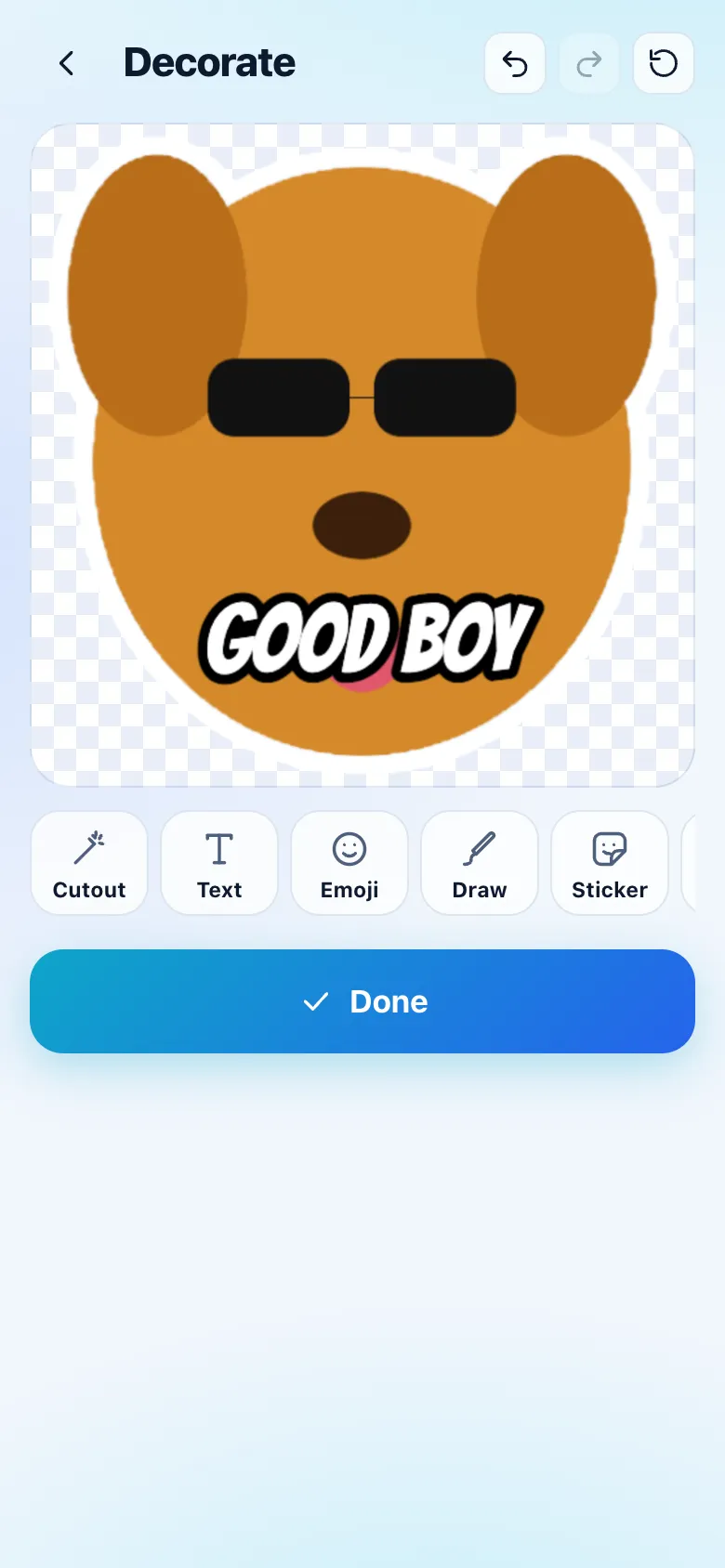
The editor adds layers over the cutout, or over every frame of an animated sticker:
- Text: type your own or pick a ready one (LOL, OK, ???, BRB, GG, NO). Ten fonts (Bangers, Anton, Bebas Neue, Luckiest Guy, Inter, Comic Neue, Permanent Marker, Lobster, Pacifico, Caveat), size, color, Outline, Shadow, Label (a background behind the text) and alignment.
- Emoji: any emoji, drawn as it looks on your phone.
- Draw: a pen with size and color, and an eraser; each drawing is a layer.
- Sticker: one of your stickers, as a layer.
- Shape: speech and thought bubbles, label, stamp, burst, round and square frames.
- Background: transparent (recommended), a color or a gradient.
- Layers: the list, top in front, to reorder, lock or delete.
Tap a layer to select it; drag to move, pinch (or the corner handle) to resize and turn, × to delete. The selected layer has Flip H, Flip V, Forward, Back, Duplicate, Lock, Delete and Opacity.
Animated stickers
Video or GIF opens the trim screen:
- The timeline with two handles: the part can be up to 10 seconds (WhatsApp's limit); 2 to 5 seconds is recommended.
- Frame: Fill (drag the square, its corner resizes) or Fit (the whole picture with transparent bars).
- Speed: 1x, 1.5x or 2x.
- Boomerang: plays forward, then back.
- Size (estimated): a live estimate against WhatsApp's 500 KB.
When saving, Stickers lowers frame rate (12 down to 5 fps) and quality until the file fits in 500 KB; the sticker's page shows the result.
Save
The final sticker is 512 x 512 WebP, fitted to 100 KB (lossless when the art is flat). Choose the Pack (packs of the other kind show why they can't take it, and New pack is at the end), up to three Emojis ("WhatsApp suggests this sticker when someone types these emojis"), an optional Name, Tags and Favorite.
- A static pack takes only static stickers, and an animated pack only animated ones: Stickers offers another pack, a new one or, for an animated sticker, Use the first frame.
- A pack holds 30 stickers: the 31st offers a new pack with the next name ("Memes 2").
- The first time, Stickers asks the name shown as the author of your packs in WhatsApp.
After saving, Add to WhatsApp (when the pack has 3 or more) and Make another appear for a few seconds.
Batch
Choosing several photos cuts each one out with progress ("Cutting out 4 of 9"). Tap a result to fix it in Cutout, or × to remove it; choose the pack and Save all (over 30, the rest go to the next pack). Then Add emojis goes through them one by one.
Packs
The Packs tab shows each pack with its tray icon, count and a WhatsApp badge: In WhatsApp, Sent to WhatsApp (iPhone) or Changed since added. The ⋮ menu has Import a pack..., Trash and Sort by Recent, Name or Manual (hold a pack and drag it). Holding a pack opens Add to WhatsApp, Edit, Share, Duplicate and Delete.
Inside a pack:
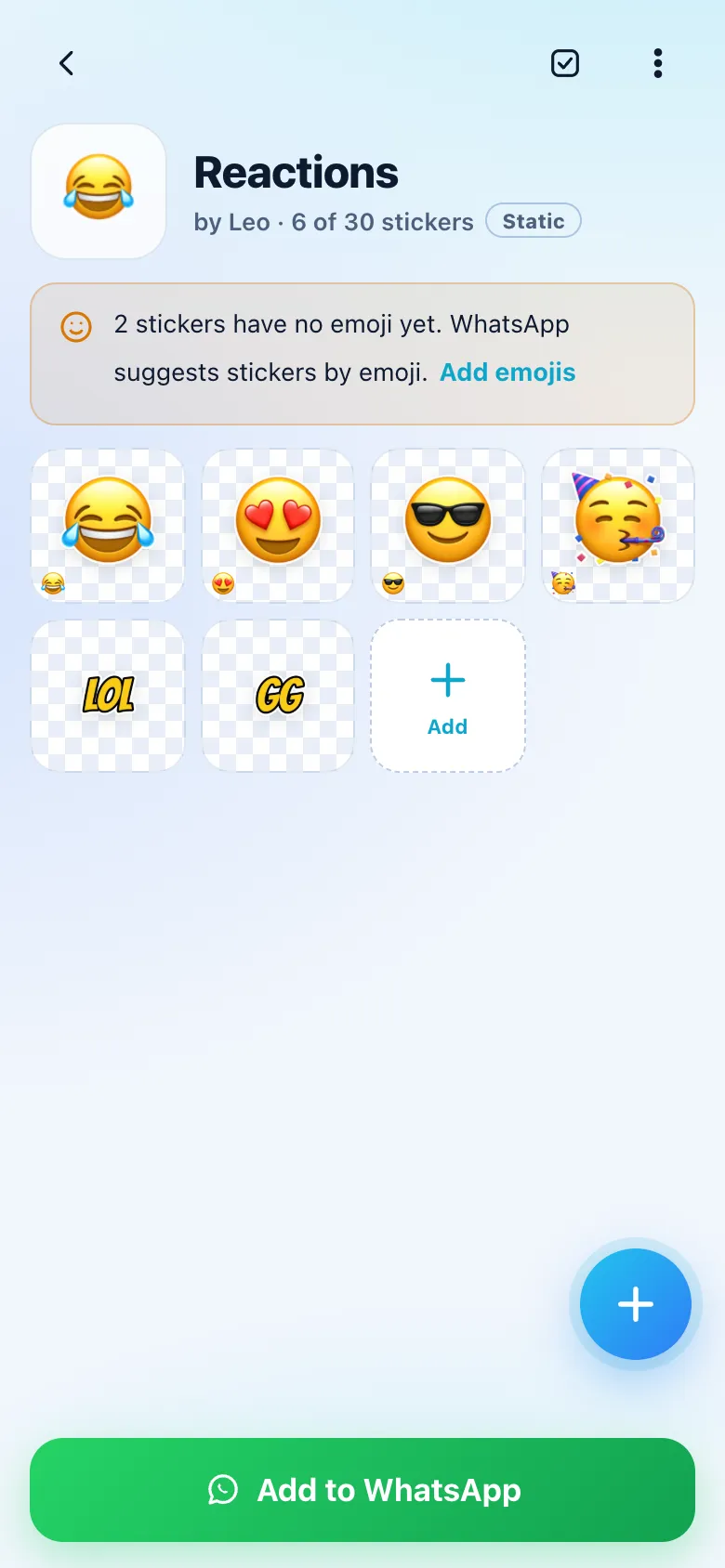
- Tap the name to rename it and the icon to change the tray icon (one of the pack's stickers, or any image).
- Hold a sticker and drag to reorder (the order is the one in WhatsApp's tray). Select picks several for Move to, Duplicate, Favorite, Tags and Delete.
- A note shows how many stickers have no emoji, with Add emojis.
- ⋮: Edit pack (name, author, tray icon), Share pack (
.stickers), Export as.wastickers, Duplicate pack, Add emojis, Delete pack.
Add to WhatsApp
Add to WhatsApp checks the pack first: 3 to 30 stickers, name and author, every sticker 512 x 512 within the limit (static stickers that don't fit are re-encoded on the spot), the 96 x 96 tray icon, and emojis. Stickers without an emoji go with 🙂.
- With WhatsApp and WhatsApp Business both installed, Stickers asks which one (or always uses the one set in Settings › WhatsApp).
- On Android, WhatsApp shows its own confirmation; the pack's badge becomes In WhatsApp.
- On the iPhone, WhatsApp opens with the pack: tap Save there to finish. This is the only time Stickers writes to the clipboard, as WhatsApp's interface requires, and it expires by itself after 60 seconds.
- After changing a pack, Update in WhatsApp sends it again; WhatsApp replaces the old one.
Library
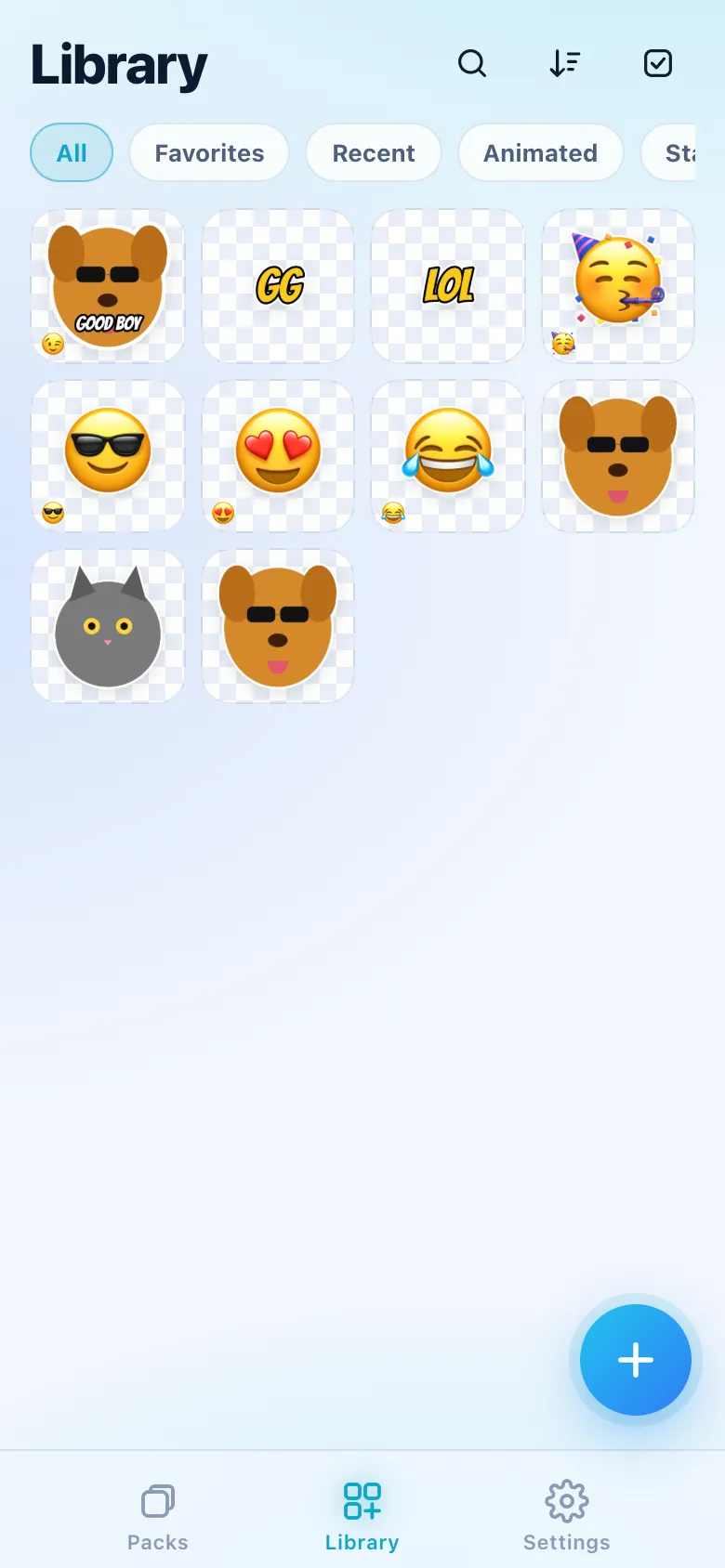
Every sticker from every pack, with filters All, Favorites, Recent, Animated, Static, No emoji and your tags, Manage tags (rename, merge by renaming to an existing tag, delete), Sort (Newest, Oldest, Name, Pack) and Select.
A sticker's page shows it on the checker or on a light or dark chat bubble (to see the border before sending), its name, emojis, tags, pack, size and dates, with Edit (reopens the cutout and layers), Duplicate, Share and More (Use as tray icon, Move to, Share as PNG, Delete). Swipe sideways to move through the pack or the filter.
Search
Search looks in names, tags, emojis (type one) and pack names, with recent searches below the empty field.
Trash
Deleted stickers and packs stay in the trash for 30 days, with Restore and Delete forever; every delete also offers Undo for a few seconds. A restored sticker whose pack is gone goes to a pack called Restored.
Pack files
.stickers: a pack with its emojis, names and tags, to send to a friend over WhatsApp, e-mail or anything else; opening it imports the pack..wastickers: the format of Sticker Maker and Sticker Studio, imported and exported.- Import shows the pack, how many are already in your library, and Import (a new pack) or Add to existing pack. Stickers that don't meet WhatsApp's format are adjusted.
- Settings › Data › Export everything saves every pack in one file.
Photos, videos and pack files shared to Stickers from other apps open the right screen directly (on the iPhone, through the share sheet's Stickers extension). Holding the app icon offers New sticker from photo, Camera sticker and Search.
Settings
- Account & backup: backup to your own Google Drive is coming in a later version; meanwhile, Export everything.
- Creating: default border (width, color, shadow), author name, default pack for new stickers, open the editor after cutout, camera starts with front or back.
- WhatsApp: where packs go when both apps are installed, Check packs in WhatsApp (Android: asks WhatsApp which packs it has and updates the badges) and the limits.
- Appearance: theme (System, Dark, Light), haptics, transparency checker.
- Data: export everything, import a pack, trash, space used, reset counters, delete all data.
- Statistics: stickers, packs, animated and static, made per week, space, packs sent to WhatsApp most, stickers opened and shared most. Counted inside Stickers; WhatsApp doesn't tell apps which stickers you send, and nothing here leaves the phone.
- Updates (Android): check for updates automatically and Check now.
- About: version, documentation, changelog, privacy and licenses.
WhatsApp's limits
| Item | Limit |
|---|---|
| Pack | 3 to 30 stickers, all static or all animated |
| Static sticker | 512 x 512 WebP, up to 100 KB |
| Animated sticker | 512 x 512 WebP, up to 500 KB and 10 seconds |
| Tray icon | 96 x 96 PNG, up to 50 KB |
| Emojis | up to 3 per sticker |
Install and updates
Android: download the APK from the Stickers page (Android 7 or later). Once a day, if Settings › Updates › Check for updates automatically is on, the app asks leonardoaguiar.com which version is the latest; a newer one shows a card that downloads it, and it installs over the old one keeping your stickers.
iPhone: Stickers is coming to the App Store. Adding packs to WhatsApp on the iPhone needs an installed app, so there is no Home Screen version.
Privacy
- By default, nothing leaves the phone. Photos, videos, cutouts and stickers stay on the device.
- The cutout runs on the device: Vision on iOS; ML Kit on Android, whose model Google Play Services downloads once.
- No account of ours, no ads, no trackers, no usage statistics and no automatic reports.
- WhatsApp gets only the packs you add to it; friends get only the files you send them.
- On Android, once a day (if on), the app asks leonardoaguiar.com for the latest version number, with nothing about you.
The full policy is at leonardoaguiar.com/stickers/privacy.
Stickers is not affiliated with WhatsApp or Meta.